🏦 How to Sign Up for an Exchange (Referral)
~6 min read · For reference, not a prediction
There Are Two Main Types of Exchanges
Not all crypto exchanges are the same. They split into two broad categories starting with how you sign up.
Knowing this before you begin makes everything far less confusing, even if the screens look unfamiliar.
- Centralized exchange (CEX) — an exchange run by a company. You sign up with an email or Google account, go through identity verification (ID check), and then deposit funds. OKX is one example. It feels a lot like signing up for a banking app.
- Decentralized exchange (DEX) — instead of a company account, you use the exchange by connecting a 'wallet.' Connect a wallet like MetaMask and you're done — there's no separate registration or ID-verification screen. HyperLiquid, Lighter, and EdgeX fall into this category.
A quick note on the terms. 'CEX' is short for Centralized Exchange, and 'DEX' is short for Decentralized Exchange.
Think of a 'wallet' as an app that stores your coins and lets you connect to an exchange (e.g., MetaMask).
Sign Up Now — Baro Referral Links
If you sign up through the Baro links below, your trading costs stay exactly the same. A referral is a finder's fee the exchange pays to Baro, so it doesn't cost you anything extra. And once you've signed up, verifying on Baro's 'Win-Rate Picks' page unlocks premium features for free.
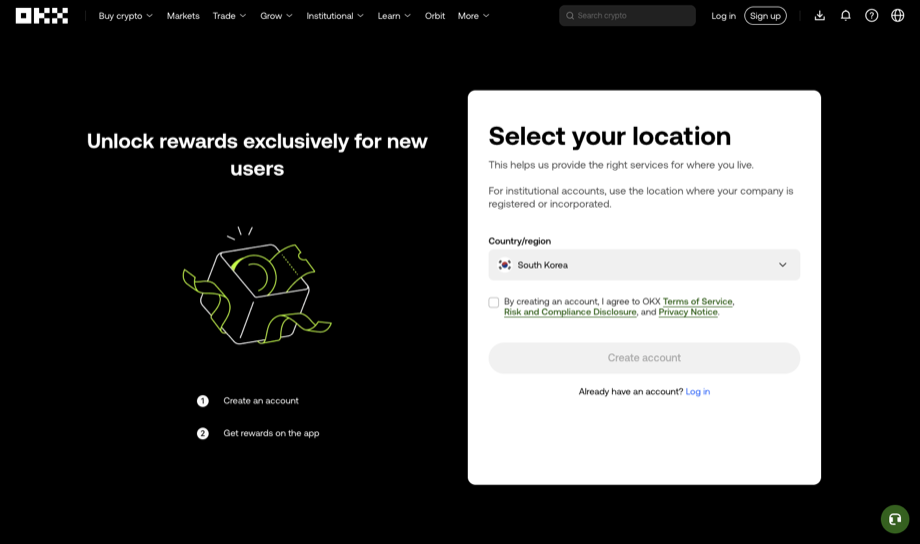
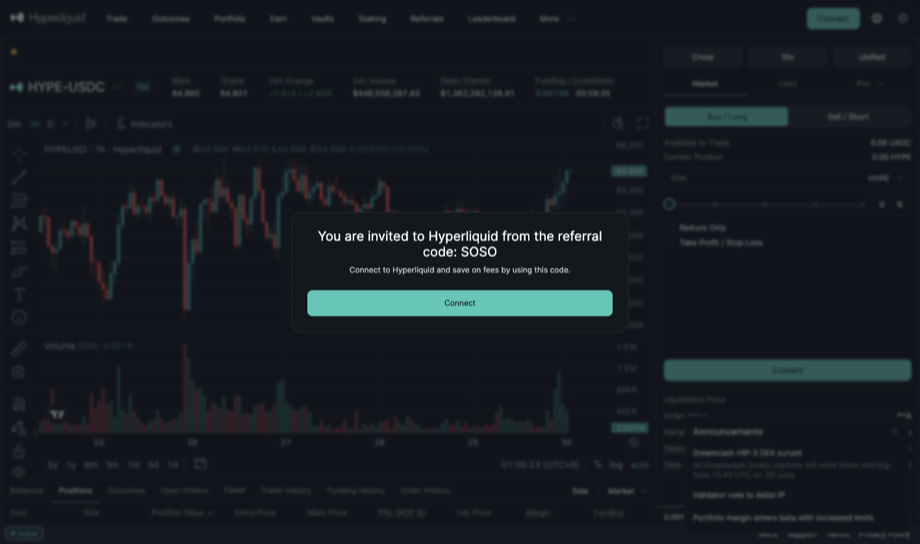
A. Signing Up for a Centralized Exchange (CEX) — Example: OKX
A centralized exchange follows the order of 'sign up → identity verification → deposit.' Take it step by step and it's not hard at all.
- Open the sign-up pageGo to the exchange's sign-up page. Using Baro's referral link takes you straight to the sign-up screen. [Screen] This is the first screen, with a 'Sign Up' button and email/phone entry fields in the center.
- Sign up with email or a Google accountEnter your email address and choose a password, or tap 'Continue with Google' to sign up in one step with your Google account. If you sign up by email, a verification code will arrive in your inbox, so enter that code. If you don't see it, check your spam folder too.
- Set a password & turn on two-factor authenticationMake your password long and complex, and different from the ones you use on other sites. Right after signing up you'll be prompted to set up two-factor authentication (an OTP / phone authenticator app), and we strongly recommend turning it on. It's the most basic lock that protects your account.
- Complete identity verification (ID check)Most centralized exchanges require identity verification. You photograph your ID (a national ID card, driver's license, or passport) with your camera and then show your face. [Screen] You'll see guidance like 'Photograph the front of your ID' along with a camera view. Taking the photos only takes a few minutes, but the exchange's review may take longer.
- Make a depositOnce verification is done, deposit funds (usually a coin like USDT). In Korea, a common approach is to buy crypto on a domestic exchange and then send that crypto to this exchange's deposit address. [Screen] Inside the 'Deposit' menu, choose a coin type and a long deposit address appears. Just send the coin to that address.
B. Signing Up for a Decentralized Exchange (DEX) — Example: HyperLiquid · Lighter · EdgeX
On a decentralized exchange, the idea of 'signing up' is a bit different. There's no registration field and no ID verification.
Instead, 'connecting your wallet' is what counts as signing up.
- Get a wallet readyFirst install and create a wallet app like MetaMask. When you create a wallet for the first time, you'll get a 'recovery phrase (seed phrase)' of 12 words — this is the master key to your wallet. Never show it to anyone; write it down on paper and store it safely.
- Open the exchange site and tap 'Connect Wallet'When you go to the exchange page, there's usually a 'Connect Wallet' button in the top right. Using Baro's referral link brings up the same screen. [Screen] It's the 'Connect Wallet' button in the top-right corner.
- Select your wallet & signPick your wallet (e.g., MetaMask) from the list, and the wallet app will ask, 'Do you want to connect to this site?' Tap confirm and it connects. The 'signature' request that appears here doesn't move any money out — it's just a step to 'prove it's you.'
- Deposit from your walletOnce connected, tap 'Deposit' inside the exchange to move coins from your wallet into your exchange balance. [Screen] A 'Deposit' button and an amount field appear. In many cases you approve it directly from your wallet, with no need to copy a separate deposit address.
CEX vs. DEX at a Glance
| Aspect | Centralized (CEX) | Decentralized (DEX) |
|---|---|---|
| Sign-up method | Email / Google account | Connect a wallet |
| ID verification | Usually required | None |
| Deposit | Send coins to a deposit address | Approve directly from your wallet |
| Who holds your assets | The exchange holds them | Your wallet holds them |
| Examples | OKX | HyperLiquid · Lighter · EdgeX |
Neither side is the single right answer. Start with whichever way is more comfortable for you and learn it at your own pace.
Why Signing Up Through a Baro Referral Link Is a Good Idea
If you're going to sign up anyway, here's how to do it through a Baro referral link. Signing up via the referral lets you unlock Baro Premium (reference material based on historical distributions) for free.
If you're unsure what a 'referral' is, it's a setup where the exchange pays Baro a finder's fee as a way of saying 'thanks for the introduction.'
The important point is that signing up through this link does not make the trading fees you pay any higher. The cost is exactly the same — you just get to use Baro's material for free.
- Same cost — signing up via the referral link doesn't change your trading fees at all.
- Premium for free — you get to open up Baro's reference material based on historical data.
- The opposite of a tip group — Baro doesn't tell you 'buy this and it'll go up.' It simply shows you, honestly, how similar situations played out in the past as a distribution.
Strong conditions only, with past probability, sample size and validity window